Stock management and consumables
A CRM with inventory management and consumables tracking. Easily manage stock movement and keep your inventory system organised.
Inventory control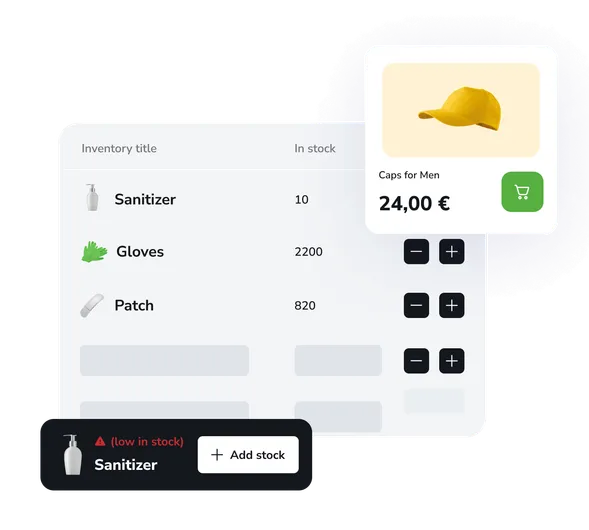
Stock management
Keep accurate records of all products and materials in stock. Track quantities, costs, suppliers, and expiry dates. Automatic low-stock alerts for better stock control.
Material write-offs
Automatic write-off of consumables when services are delivered. Set usage rates for each procedure and track actual resource consumption.
Analytics and reports
Analyse material costs and service profitability with cost price included, plan purchasing, and optimise stock levels for effective inventory management.
Grow your business capabilities
Increase conversion and improve customer service quality with instant access to all EasyWeek features.
Ready-made solutions for your business
Choose your business area to get a tailored option for your industry.
 Beauty
  Healthcare
  Sport
Sport  Services
  Leisure
  Education
  Pets
Pets  Rental
  Car
Car  Hospitality
  Other
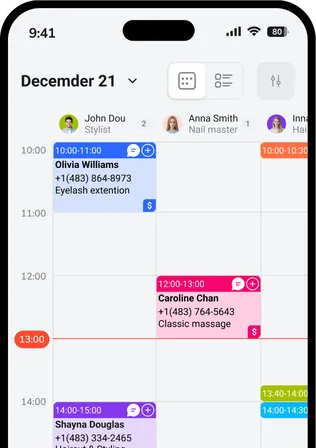
Other A handy app for all devices
Our system works on smartphones, tablets, and in the web version. No additional equipment needed.





 Pro
ProJoin the companies that trust us
Create your success story with EasyWeek!
Frequently asked questions
Can’t find the answer? Get in touch with our friendly team.
Stay with your customers: we’ll handle the rest
Try EasyWeek for effective business management. Our support team is always here: 7 days a week, free on any plan.