Staff rota for your team

Set the best roster for your team, analyse workload, and track employee performance.

Shift plannerShift plan
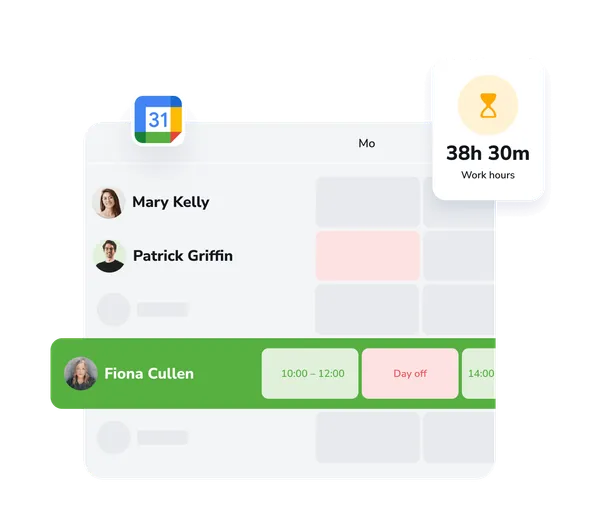
A clear, visual roster

A clear, easy-to-read work schedule where you can quickly see each employee’s roster and make changes when needed.

Flexible shift planning

Create different shift types with ease, set durations and breaks, and tailor work patterns for each employee individually.

Workload analysis

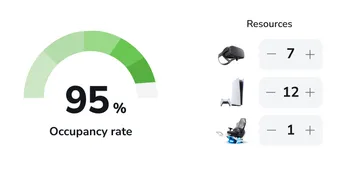
Track staff utilisation, optimise time allocation, and spot periods with too little or too much coverage.

Grow your business capabilities

Increase conversion rates and improve customer service with instant access to all EasyWeek features.
Start getting the most from every customer #2

Ready-made solutions for your business

Choose your industry to get a personalised option for your sector.

Beauty Beauty

Healthcare Healthcare

Sport Sport

Services Services

Leisure Leisure

Education Education

Pets Pets

Rental Rental

Car Car

Hospitality Hospitality

Other Other

A handy app for all devices

Our system works on smartphones, tablets, and in the web version. No additional equipment is needed.


EasyWeek client app logo
For Booking Find, book and get reminded — all in one app.
Customer app
Girl with phone
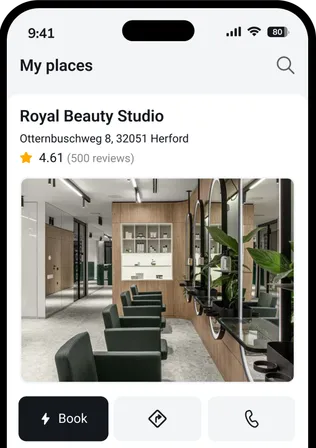
EasyWeek client app screenshot
EasyWeek business app logo
For Managing Appointments, team, clients and your own website — all in one app.
Business app
Girl with tablet
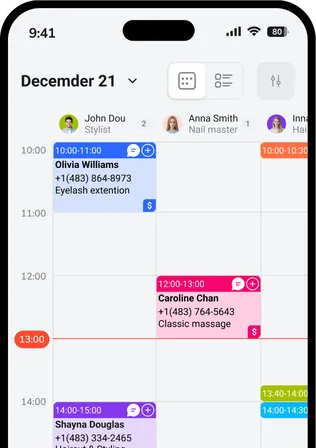
EasyWeek business app calendar view screenshot

Our pricing

  • No card required
  • 14-day free full-version trial
  • No hidden charges
Free forever
€0
Essential features
User avatars Pro
from €8.33
per month
Compare all plans

Join the companies that trust us

Create your success story with EasyWeek!

Frequently asked questions

Can’t find the answer? Get in touch with our friendly team.

An employee schedule is a tool for planning your team’s working time. You can create shifts, set working hours, and track each staff member’s workload.

Yes, each employee can have their own unique work schedule. You can set different working days, start and finish times, breaks, and days off.

The system analyses staff workload, highlights periods of high demand, and helps distribute working time evenly across employees for maximum efficiency.

Yes, employees can view their work schedule via the mobile app or web interface. They also receive notifications about roster changes.

Yes, you can easily copy a schedule from one week or month to the next, which saves a lot of time when planning.

Stay with your customers — we’ll handle the rest

Try EasyWeek for effective business management. Our support team is always here for you: 7 days a week, free on any plan.
Focus on your service — we’ll take care of everything else
AI Pricing

Support chat

Real people, not bots. Our team replies within minutes.

WhatsApp Telegram

Questions? Message us!

We’re online nowSupport manager photoSupport manager photoSupport manager photoSupport manager photo
How it works